Introduction
NVIDIA Isaac Lab is a robot learning framework built on top of Isaac Sim, offering a rich set of tutorials and sample environments for reinforcement learning and imitation learning — covering arm, quadruped, and humanoid robots.
I finally got around to installing Isaac Lab on top of an existing Isaac Sim setup.
Most of the official documentation assumes Docker or the Omniverse Launcher as the installation path, but this article documents the actual steps for adding Isaac Lab directly to an existing pip/conda-based Isaac Sim 5.1.0 environment — along with verification that everything works.
Environment
| Item | Details |
|---|---|
| Machine | RTX 5090 32 GB / Ubuntu 24.04 |
| Python | 3.11 (conda environment) |
| Isaac Sim | 5.1.0 (installed via pip) |
| Isaac Lab | GitHub main branch (as of 2026-06-02) |
Why I Skipped Docker
The official Isaac Lab guide does cover Docker-based usage. The main benefits of that approach are environment reproducibility and keeping the host OS clean.
In my case, however:
- Isaac Sim was already installed on the host via pip inside a conda environment
- Isaac Lab is essentially a set of libraries that depend on Isaac Sim's Python environment, so adding it to the same conda environment is the simplest integration path
- There's no need for extra configuration to handle GPU passthrough or X11 GUI forwarding through Docker
For these reasons, I went with a direct installation instead.
Installation Steps
1. Clone the Isaac Lab Repository
conda activate env_isaacsim
mkdir isaac
cd isaac
git clone https://github.com/isaac-sim/IsaacLab.git
cd IsaacLab/
A note on reproducibility: The
mainbranch changes with each release. If you want to reproduce these exact steps, specify a tag when cloning or record the commit hash after cloning.# Clone a specific tag (example) git clone --branch v2.1.0 https://github.com/isaac-sim/IsaacLab.git # Or record the commit hash after cloning git log --oneline -1This article used the
mainbranch as of 2026-06-02.
2. Let Isaac Lab Discover the Existing pip-installed Isaac Sim
Isaac Lab auto-detects the Isaac Sim path when using the Omniverse Launcher version. With a pip install, Isaac Sim lives inside the same Python environment, so isaaclab.sh will pick it up from env_isaacsim automatically — no additional configuration required.
./isaaclab.sh --install
Running the default install with no extra options was all it took to resolve the dependencies.
3. Verify the Installation (Headless)
./isaaclab.sh -p scripts/tutorials/00_sim/create_empty.py --headless
A successful run produces the following log output:
[INFO]: Setup complete...
Verifying with a GUI Demo
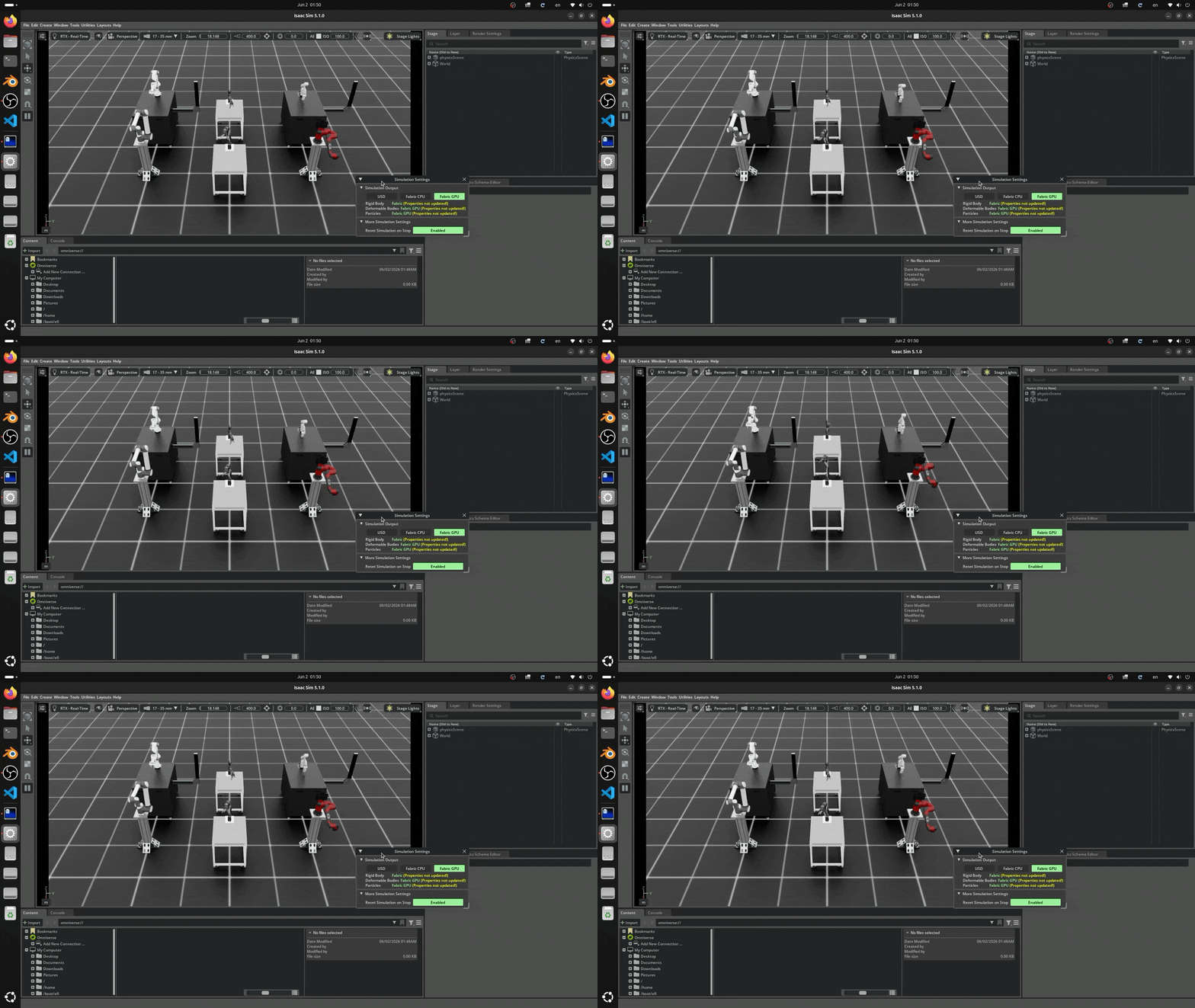
Beyond the headless check, I also confirmed that GUI demos work. Isaac Lab ships with several sample environments — arms, quadrupeds, humanoids, and more. I launched the robot arm demo:
./isaaclab.sh -p scripts/demos/arms.py
The 3D viewport opened and I could watch multiple robot arms being simulated simultaneously.
Summary
- If Isaac Sim is already installed in a pip/conda environment, the simplest way to add Isaac Lab is to install it directly into the same environment — no Docker needed
- Cloning the repository and running
./isaaclab.sh --installwith no extra options is enough to set up all dependencies - A good workflow is to verify with a
--headlesstutorial script first, then launch a GUI demo likescripts/demos/arms.pyto confirm the visual output
If you have already set up a conda environment for Isaac Sim, it's worth trying this approach before reaching for Docker.
Planning a Robot PoC with Isaac Sim?
From environment setup like this article to designing and implementing a full Pick & Place PoC with real robots (TM Robot, custom arms, etc.) — we provide end-to-end technical support.
A 4-week fixed-price Quick Start Package ($15,000–$18,000) is also available.
Learn more about our Robotics Simulation Service →
Related Articles
- Running NVIDIA Cosmos 3 Nano on an RTX 5090 — Running the Cosmos 3 generative AI model on the same RTX 5090 + Ubuntu setup
- Isaac Sim Environment Setup: Ubuntu 24.04 — The Isaac Sim pip install that Isaac Lab builds on top of
- Setting Up Remote Access to Isaac Sim — Headless setup that pairs well with Isaac Lab training workflows
- TM Robot + Isaac Sim Integration via ROS 2 — Connecting a trained policy to a physical robot arm
- Rule-Based Automation vs. Physical AI — Which One Should You Choose? — When Isaac Lab is (and isn't) the right tool